
Why Is This Important?
In the ever evolving software landscape, it has already been made clear that all production used systems need to stay up to date, in order to perform well. Not only are there many security related advantages to that, but it is almost certain that with time, any software will eventually become harder to maintain.
A Healthy Ecosystem
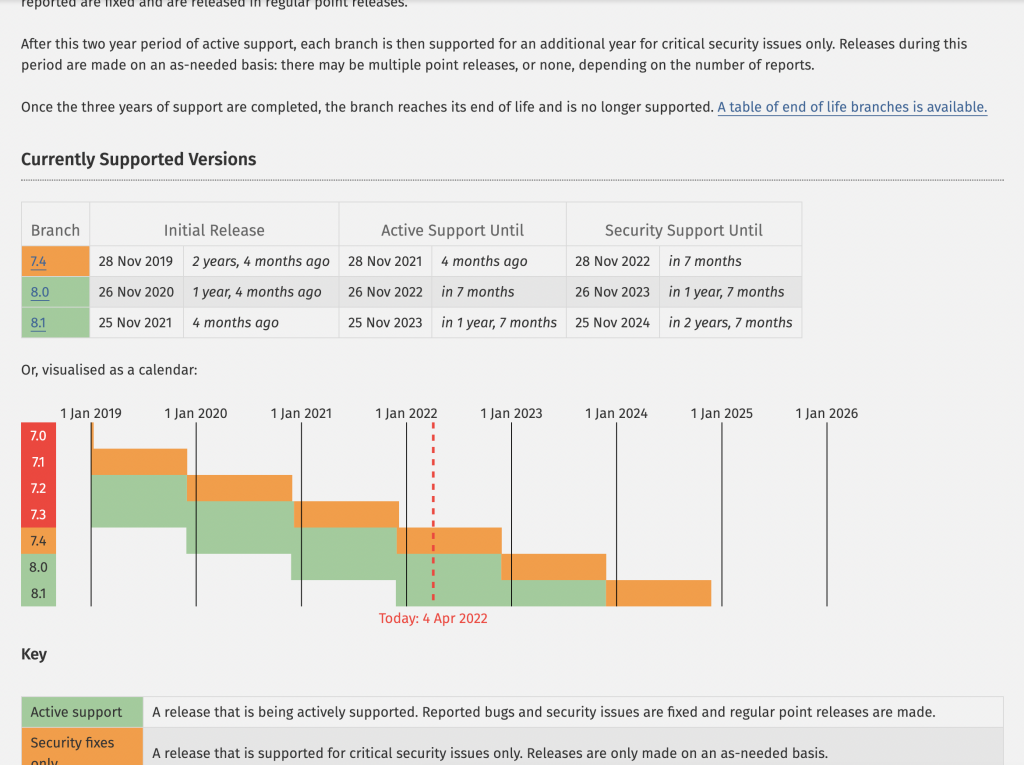
One of the most important things to do, is to always use an actively supported operating system, with an actively supported programming language version. In the case of Easy!Appointments, the most important thing is to run on the latest PHP version. Most hosting environments will allow you to easily switch between different versions, but even there is no simple version switch, you can switch the installed version with a pair of CLI commands.
The Release Strategy
Following the best practices and aiming for the best user and developer experience, Easy!Appointments is getting new major release once a year, and various maintenance releases after that, ensuring that all compatibility and bugs are fixed and the app will run smoothly into any environment. Such maintenance releases also include updated 3rd party packages, so that your installations always run with the best available software.
Order The Upgrade Service
If you are using an older installation and you are not sure on how to proceed or you have made customizations that you would like to keep, you are not alone! Feel free to reach out to info@easyappointments.org and get a quote on upgrading your installation to the latest version.
Going Premium
Did you read this article, but you’re still not sure on how to proceed?
Reach out to info@easyappointments.org and have an expert take care of everything for you in zero time.
Get your free quote and get started now!